
Bags of sulphur go from the main store to the store at the far blocks. That is one event, and Intecrop records it as one: a move takes the stock out of the one store and puts it into the other, on the same date and for the same quantity. You capture it once, and you change or delete it once.
Before, a move had to be captured as two separate records — a correction in one store and a receipt in the other — which could end up with different dates or quantities, and one of which could be deleted without the other. Use a move instead.
Before you start
You need at least two stores on the farm. If you only have one, the option does not show. Add the second store under Stores first.
Open the form
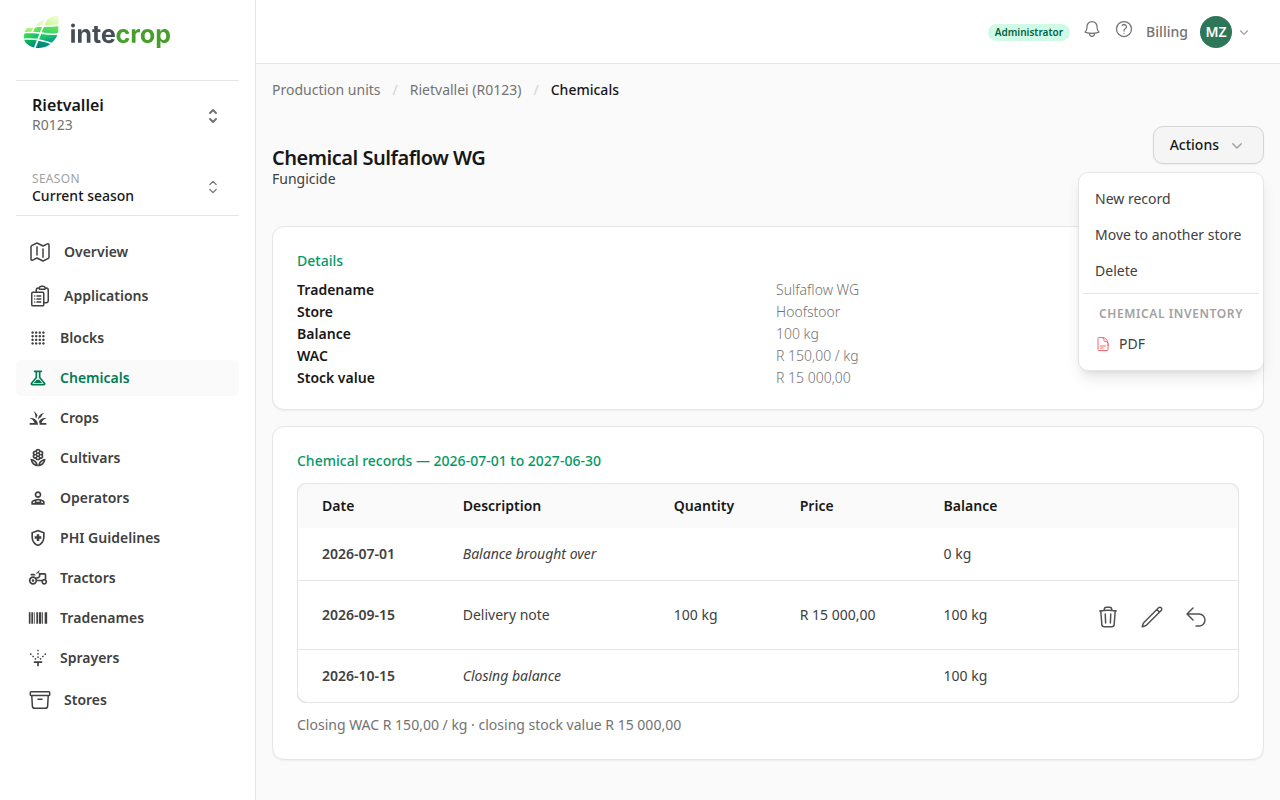
Open the chemical in the store the stock is leaving — here, Sulfaflow WG in Hoofstoor. Click Actions, then Move to another store.
Fill it in
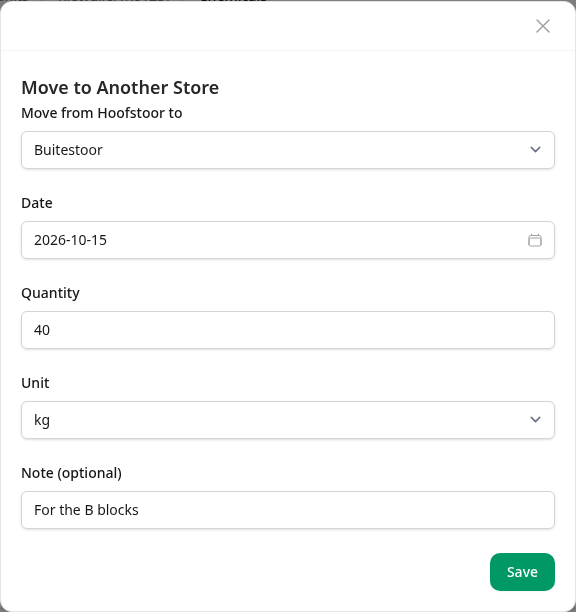
- Move from Hoofstoor to — the store the stock is going to. The store it is leaving is the one whose page you are on, so it is named in the label.
- Date — the day it moved. It cannot be in the future.
- Quantity and Unit — how much moved. The unit list offers only the units this product can be counted in, and Intecrop converts for you.
- Note (optional) — why it moved, in up to 50 characters. It shows next to the move in both stores.
Click Save.
If the other store has never held this product, Intecrop adds the chemical to that store for you, and the move is its first record. If the other store once held it and the chemical was deleted there, the move is refused. Someone decided to delete it, and a move does not undo that.
Check both stores
The store the stock left now shows the move going out, with the store it went to and your note.
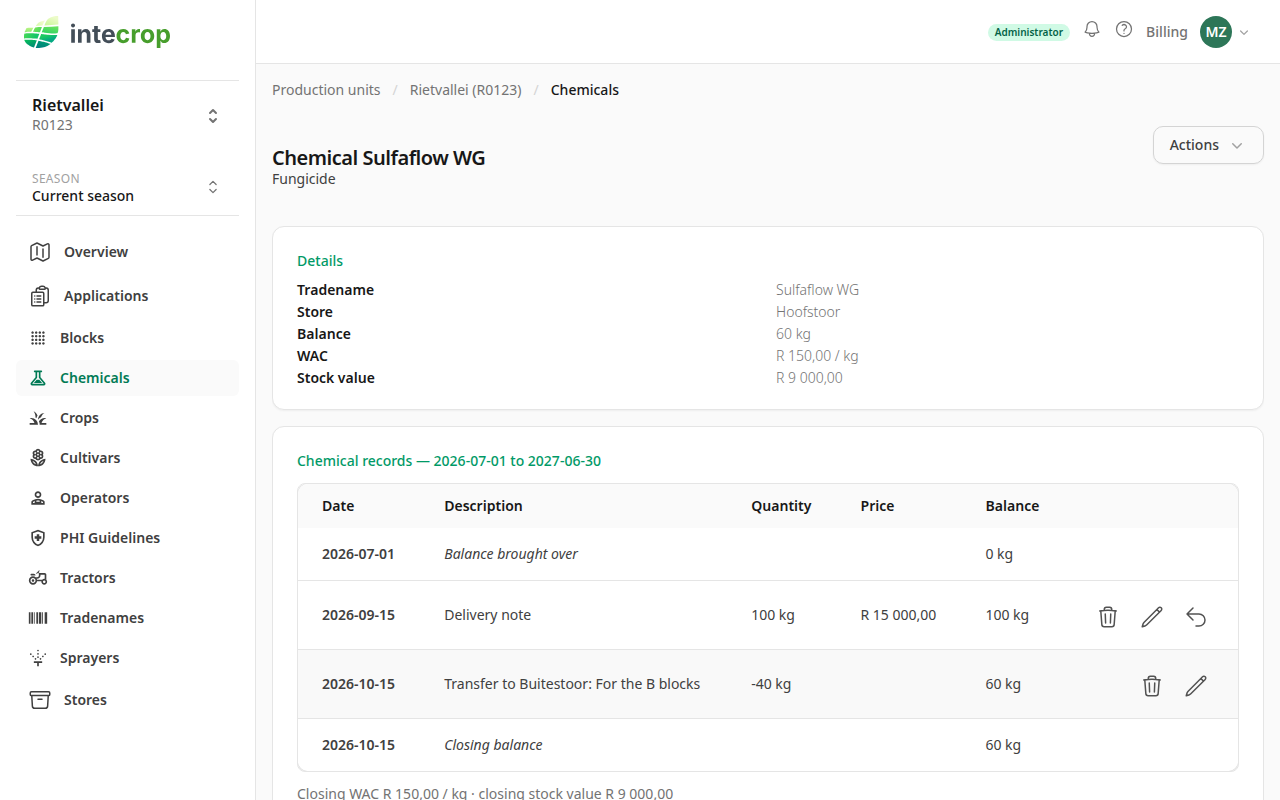
Here the balance went from 100 kg to 60 kg.
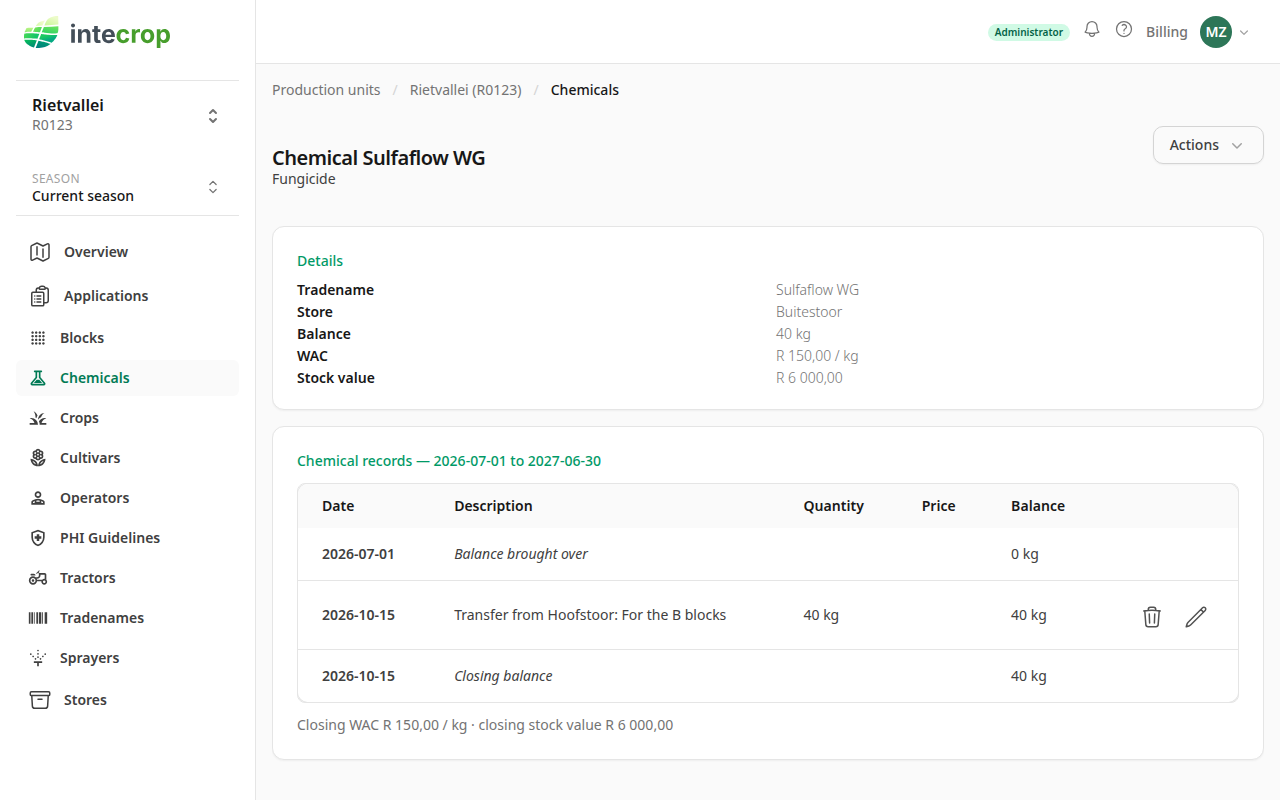
Open the same product in the other store — on the Chemicals page, the Store column tells the two apart — and you will see the same move coming in.
How the money moves
A move has no price of its own, and it needs none. Stock moves at the average cost it was already carried at, and its value moves with it.
The WAC — the weighted average cost — on a chemical's page is not worked out store by store. It is worked out over every one of your stores that holds the product, because to your farm it is one stock of one product, wherever it happens to be kept. So both stores show the same average, and a move does not change it.
In the example, Sulfaflow WG was bought at R 15 000,00 for 100 kg, which is R 150,00 per kilogram. Moving 40 kg moves R 6 000,00 of value: Hoofstoor's stock value drops to R 9 000,00, and Buitestoor's 40 kg is worth R 6 000,00 at the same R 150,00 per kilogram.
The cost reports average over the same stores, so moving stock between stores never changes what an application cost. A new priced receipt in either store does change the average, in both. For how the average itself is worked out, see How chemical costs are worked out.
Change or delete a move
A move can be changed or deleted from either store's page, with the pencil or the bin on its row. Whatever you do happens in both stores at once. A page lists the records of the season you are looking at, so for an older move, choose the season it is dated in.
To change one, click the pencil. The two stores are shown at the top and cannot be changed; the date, quantity, unit and note can.
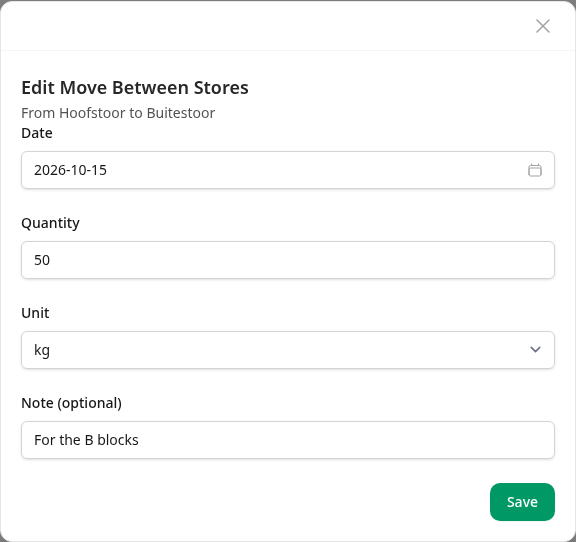
Change 40 to 50 and save, and Hoofstoor shows 50 kg going out while Buitestoor shows 50 kg coming in.
To delete one, click the bin. Intecrop asks first, and reminds you that it goes from both stores.
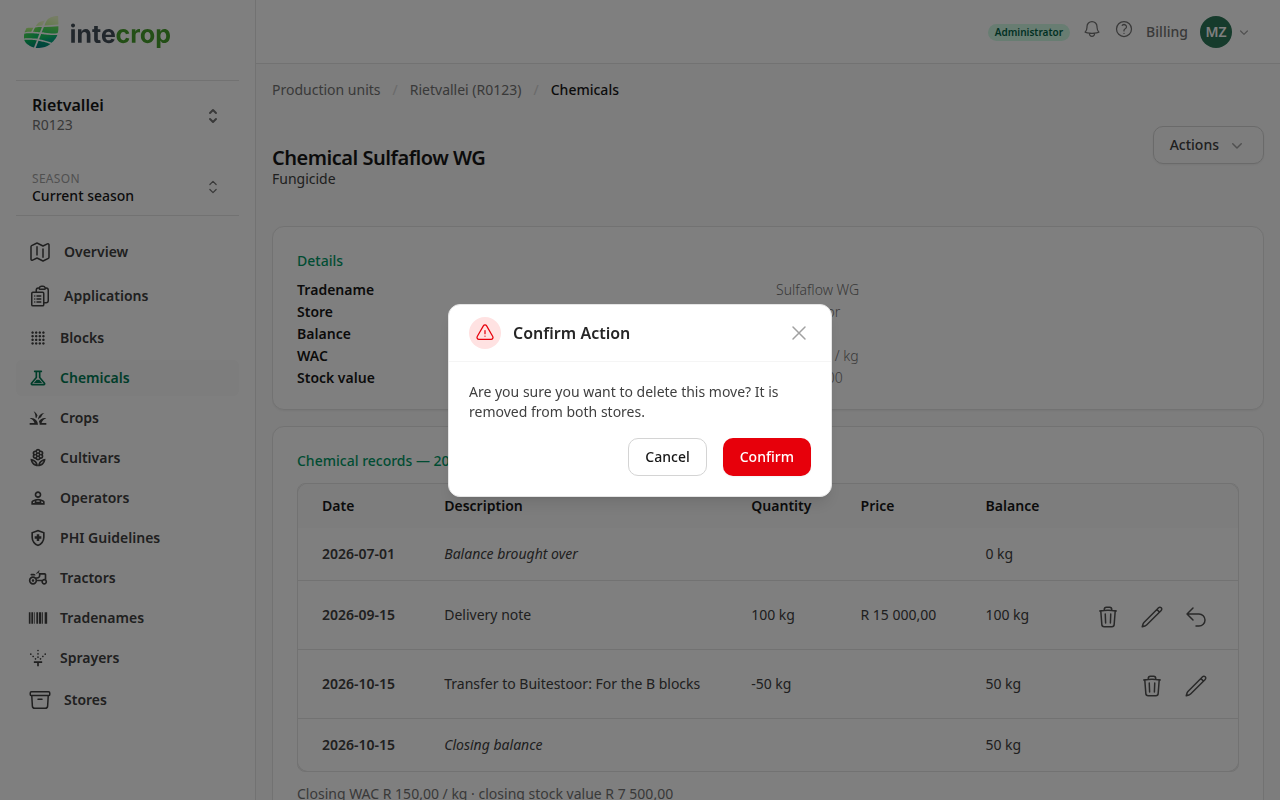
Moved to the wrong store? The stores of a move are fixed once it is saved. Delete the move and capture it again with the right store.
What a move is not
- Not a delivery. Stock that arrives from a supplier is a receipt. See Capture an invoice.
- Not a stock take. If a count shows the store holds something different from what Intecrop says, that is a correction in that one store.
- Only between your own stores. The list offers the other stores of the farm you are working in, and nothing else.