
A PHI guideline is what the label says about one product on one crop: how many days must pass between the application and the harvest, and how many hours before people may go back into the block. You enter it once. When you add that product to an application on that crop, Intecrop fills the intervals in from your list, so nobody has to look them up again.
Your list belongs to your farm. Another farm's guidelines are not yours, even for the same product on the same crop.
Add a guideline
Open PHI Guidelines from the menu and press New.
On a phone the buttons at the top are hidden. Use the round + button at the bottom right instead: it offers New guideline, Export JSON and Import JSON. The pencil, eye and bin on each row need a wider screen.
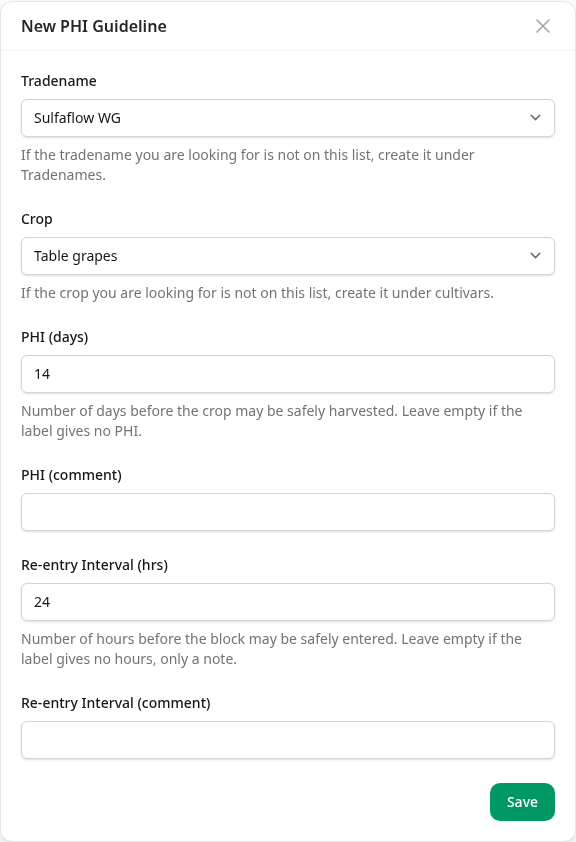
- Tradename — the product. The list holds the products Intecrop knows; if yours is not there, see Where products come from.
- Crop — only the crops on your farm are offered. If yours is missing, add it under Cultivars first.
- PHI (days) — the days from the application to the harvest.
0means the crop may be harvested the same day. Leave it empty if the label gives no PHI for this crop. The most it takes is 366 days. - PHI (comment) — anything the label adds, in your own words.
- Re-entry Interval (hrs) — the hours before anyone may go back into the
block. It starts at 24, because that is what most labels give; change it
to what yours says.
0means at once. Leave it empty if the label gives only a note and no hours. The most it takes is 168 hours, a week. - Re-entry Interval (comment) — for that note, or anything else the label says about going back in.
Press Save. The guideline joins the list.
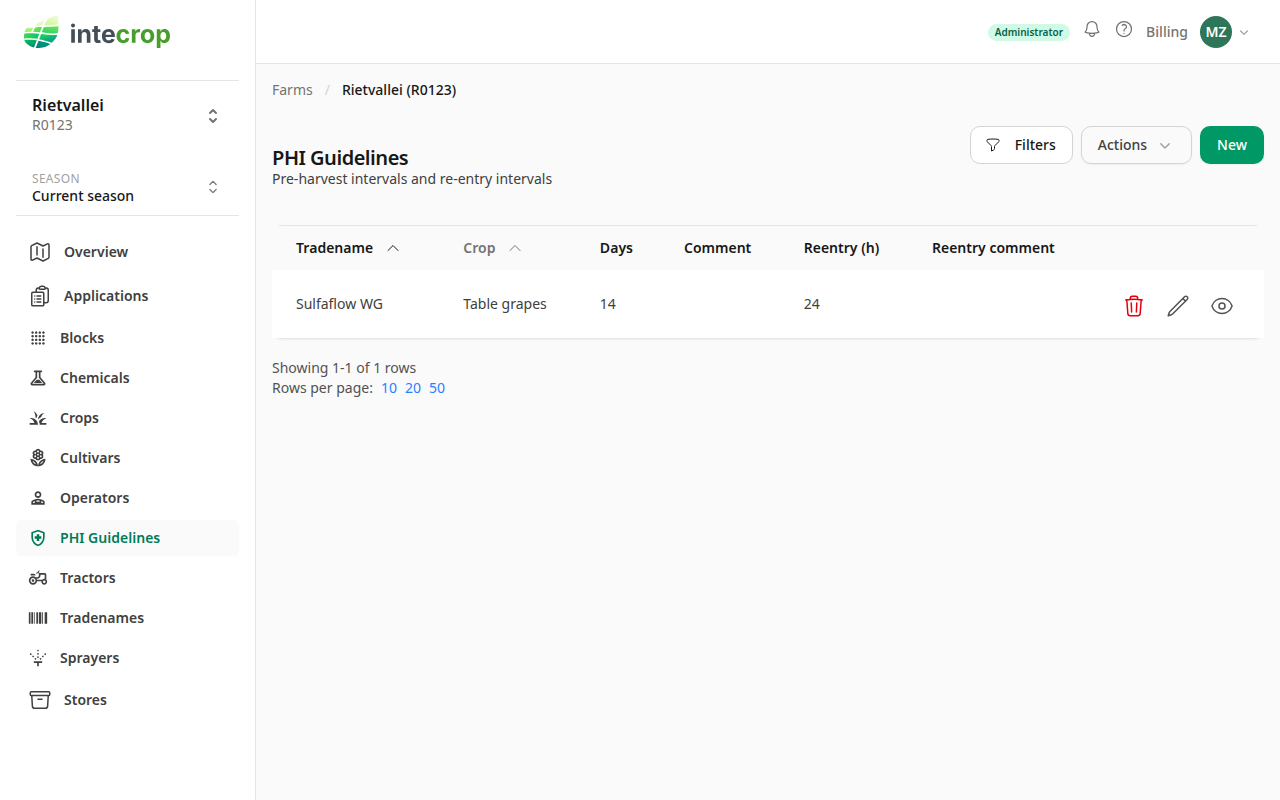
One guideline per product per crop. If you enter a second one for the same product and crop, the form refuses it with has already been specified for this crop. Change the one you have instead: the pencil on its row opens it.
Change or remove one
The pencil on a row opens the same form. The eye opens the guideline on its own page, where Actions offers Edit and Remove.
The bin on a row deletes the guideline at once, without asking. There is no undo. If you are not sure, use Remove on the guideline's own page, which asks first.
A change does not reach applications already made. An application keeps the intervals it was given when the product was added to it. On a draft instruction, Actions → Re-apply PHI guidelines brings in what the list says now.
Export the list
Actions → Export to JSON downloads your guidelines as a file. It takes the list as you see it: if you have filtered it to one crop, the file holds that crop only.
The file is the format the import takes. Use it to keep a copy before you change a lot of guidelines, or to set up a second farm that grows the same crops from the first.
Import from a file
Actions → Import from JSON. Choose the file under Import file. It
must be a .json file in the export's format, up to 3 MB.
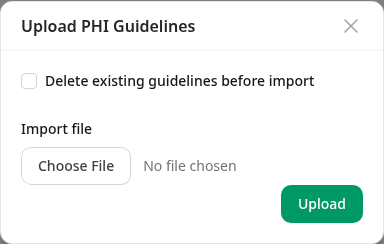
Press Upload. Intecrop reads every row, then saves:
- A row for a product and crop you already have replaces it. The intervals and comments come from the file. It does not make a second guideline.
- A row for a new product and crop is added.
- Guidelines the file does not name stay as they are, unless you tick the box below.
When it is done it says how many rows it saved — Imported 3 PHI guidelines.
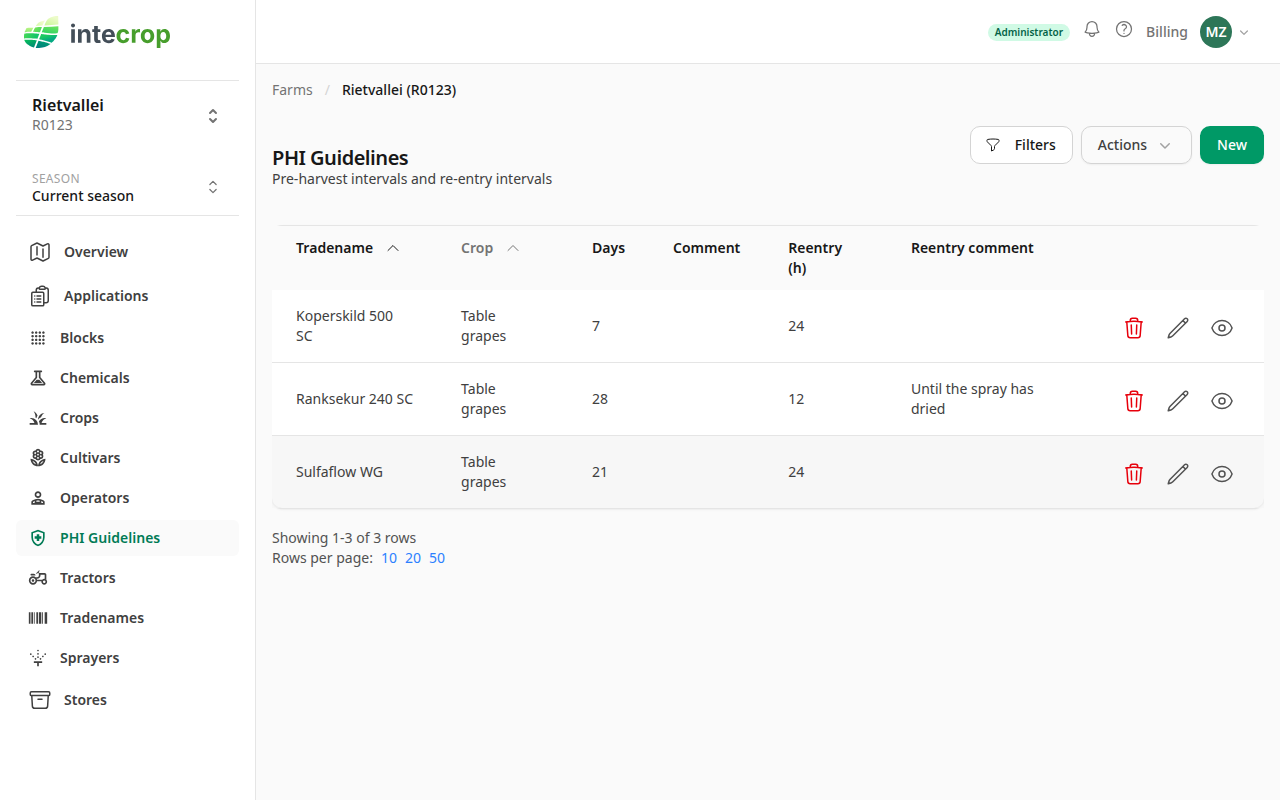
It is all or nothing. Each row must name a product your farm can use and a crop that exists, with a PHI of 0 to 366 days and a re-entry of 0 to 168 hours. If even one row fails, nothing is saved and it says how many rows were wrong:
Nothing was imported: 1 guideline needs a crop and a tradename that exist, PHI of 0 to 366 days, and re-entry of 0 to 168 hours.
Fix the file and upload it again. A file that is not an export at all gets
Nothing was imported: the file is not a list of PHI guidelines. A file that is
not .json, or is over 3 MB, is marked not accepted as soon as you choose it,
and Upload imports nothing.
A file from another farm imports as long as every product in it is one your farm can use. A product that farm added for itself and that your farm cannot see refuses the whole file. Only bring in guidelines for crops your farm grows: a guideline for any other crop is never used.
What the file holds
Each guideline is one entry with tradename_id and crop_id — Intecrop's own
numbers for the product and the crop — and phi_days, phi_comment,
reentry_interval and reentry_comment. The tradename beside it is there so
a person can read the file; the import goes by the numbers and ignores the name.
Changing a name in the file changes nothing.
If you leave reentry_interval out of a row altogether, the import gives it 24
hours, as the form does. To leave it empty, write null, which is what the
export writes.
Delete existing guidelines before import
Ticking Delete existing guidelines before import deletes every PHI guideline on your farm — not only the ones the list is filtered to — and then saves the rows in the file. Afterwards your list is exactly the file: a guideline the file does not name is gone, with no undo.
It is safe in one way: if the file is refused, nothing is deleted either.
It is not safe in another. Ticked with no file chosen, it deletes all your guidelines and imports nothing — Deleted the existing PHI guidelines and imported 0. Only tick it when you mean to replace the whole list, and export the list first so you have it to go back to.