
By the end of this guide you will have recorded one application and printed the instruction your operator takes to the tractor. It takes about ten minutes and nothing you do here is permanent — you can delete the application afterwards.
You will need a farm with at least one block on it, one chemical in a store, and one operator. If you do not have those yet, set them up first; the rest of this guide assumes they exist.
Open the applications list
Log in and pick your farm. In the left-hand menu, choose Applications.
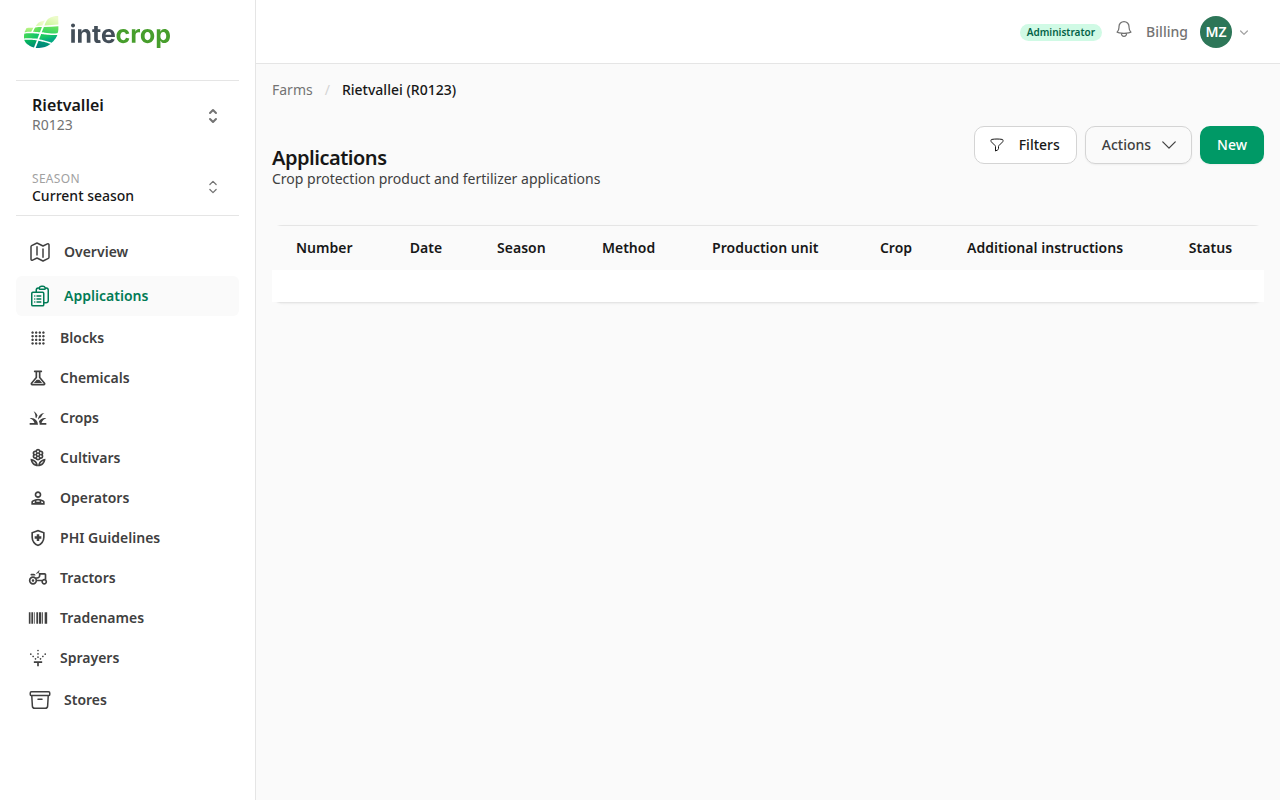
The list is empty on a new farm. Everything you record lives here, newest first.
Start a new application
Click New.
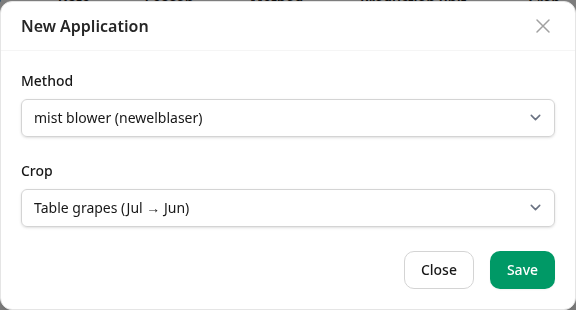
One field decides what the rest of the application can contain, and it cannot be changed afterwards:
- Method — how the mixture reaches the plant. This decides which fields every later form asks for, so it comes first: a mist blower needs a tractor, a sprayer, and an RPM; a knapsack needs none of them.
There is no crop to choose. An application can hold blocks of more than one crop, so a mixed orchard sprayed in one go is one application; its crops are the crops of its blocks.
Save. You now have an application with a number of its own — 2026-2027-1 is
the first application of the 2026-2027 season — and an empty instruction dated
today.
Fill in the instruction
The Status card on the right lists everything still missing, and it is worth reading before anything else: it is the same list that decides whether you can move on. Click Edit on the General card to work through it.
What it asks for depends on the method. For a mist blower it is the instructor and who recommended the application, the high-volume requirement, the calibration factor and the row spacing the sprayers were calibrated at. The instructor is picked from your farm's list under Instructors, so add them there first (Add an instructor). The calibration itself is computed from those unless you pick a fixed value. For a drone there is no high-volume requirement and no row spacing: the calibration is the flight rate you set on the drone, in ℓ/ha, and every dosage is per hectare. Add the drone itself under Tractors with its type set to Drone, and its tank under Sprayers as a Drone tank. To spread granules with a drone, use a drone (granules) application, with its hopper under Sprayers as a Drone spreader: the dose is per hectare and there is no flight rate. A drone application only offers drones, and the other methods only offer tractors, so a fertiliser spreader takes a tractor and a Spreader. An instruction that already has a machine its method does not offer keeps it, marked "(does not suit this method)".
Add the blocks
An instruction is a list of blocks, a list of chemicals, and the people who will do the work. Start with the blocks.
Click Choose blocks. The window that opens lists every block on the farm that is growing in the application's season, with a box to tick for each. Above the list, one box takes all of them, and one box per crop, cultivar or production unit takes a group. Where the blocks are of more than one crop, each block shows its crop beside it. If your blocks are drawn on the map, you can also click them there. Nothing changes until you click Save.
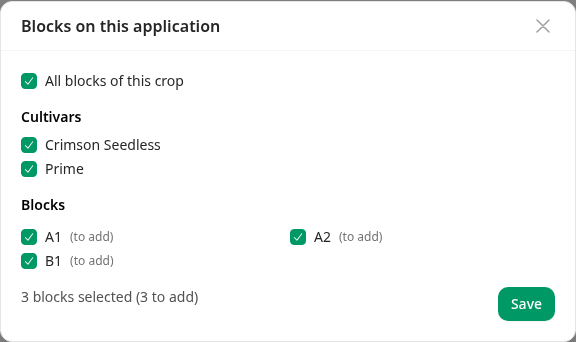
The same window takes blocks off: open it again and untick them.
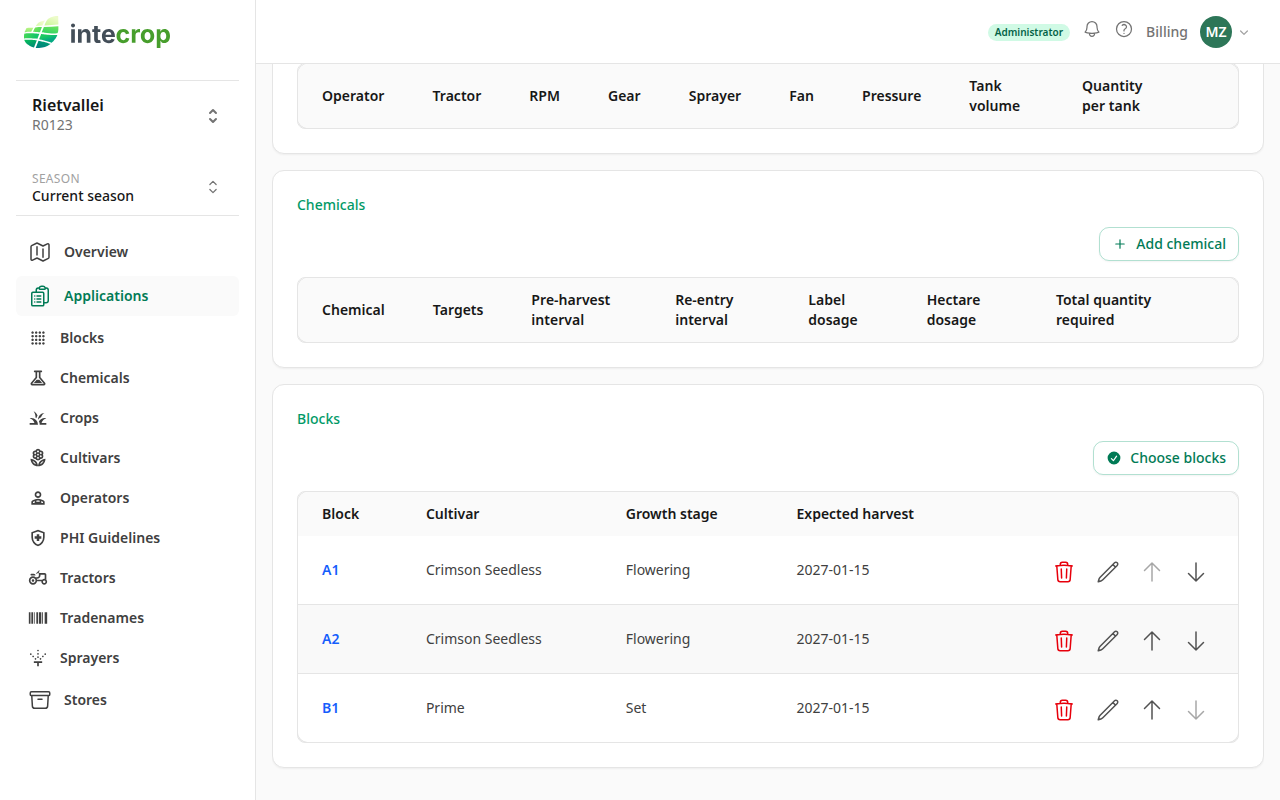
Blocks arrive bare. Each one still needs a growth stage and an expected harvest date, both set from the pencil on its row — and both offer to apply themselves to the other blocks of the same cultivar, so in practice you do this once per cultivar rather than once per block. The growth stage can also go to all the blocks of the same crop at once, which is quickest when the whole crop is at one stage. Each block offers the growth stages of its own crop.
Each block contributes its area, and the total area on the General card updates as you go. That total, multiplied by the calibration, is the water volume the operator has to mix.
Add the chemicals
Click Add chemical. Pick a chemical from your store and give the dose.
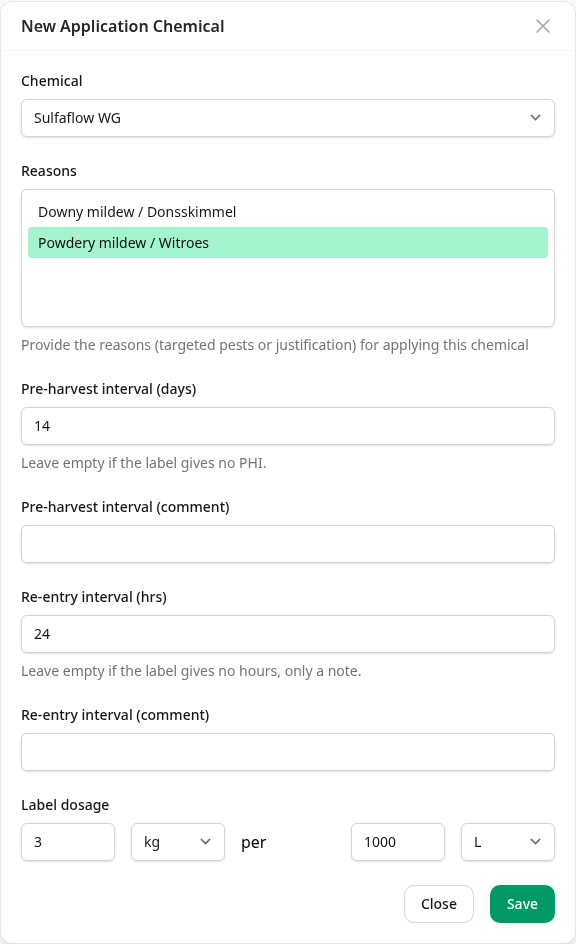
The pre-harvest interval and re-entry interval are asked once for each crop on the application's blocks, filled in from your farm's guideline for that crop where there is one. Add the blocks first: an application with no blocks has no crop to ask them for.
The label dosage is the one printed on the container — a quantity per unit of something, e.g. 3 kg per 1000 ℓ of water. Intecrop converts it: the quantity required is computed from that dose and the total area you just built up, and you never enter a total by hand.
Add the operators
Click Add operator and choose who is doing the work, with which tractor and sprayer. This is what makes the record auditable later: an audit asks who applied what, where, and when, and this is the "who".
Print the instruction
When nothing is left outstanding, the Status card says the Instruct step is complete.
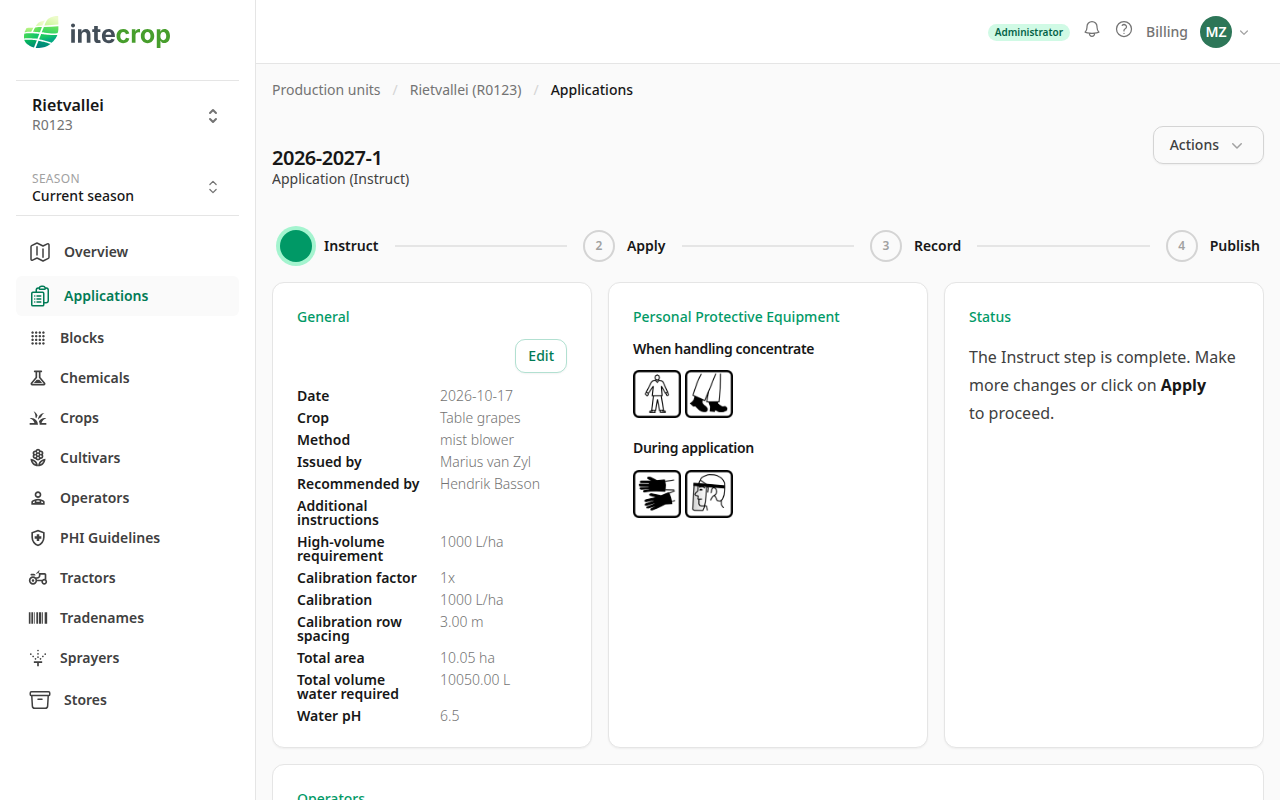
Click Apply on the stepper at the top. An application at Instruct has nothing to issue, so the export only appears once you do — after that, Export… in the Actions menu offers the PDF under Instruction.
That page is the one that goes to the tractor. It carries the blocks, the mixing quantities, and the safety information for every chemical on the application.
What next
The application you just recorded is an instruction — a plan. Once the work is done, the confirmation records what actually happened: the real dates, the real weather, and any excess mixture. Confirm an application once it is done takes it from here.